Introduction
Managing employees efficiently is essential for the success of any business. Whether you operate a retail store, restaurant, café, supermarket, salon, or hospitality business, tracking employee attendance and performance can be challenging when using manual timesheets or paper records.
A modern Point of Sale (POS) system with Clock In and Clock Out functionality simplifies workforce management by accurately recording employee working hours, attendance, and shift details. Beyond payroll, this feature provides valuable insights into staff productivity, helping managers improve scheduling, reduce labor costs, and enhance overall business performance.
In this blog, we’ll explore how the Clock In and Clock Out feature helps businesses monitor staff performance and streamline daily operations.
What Is a Clock In and Clock Out Feature?
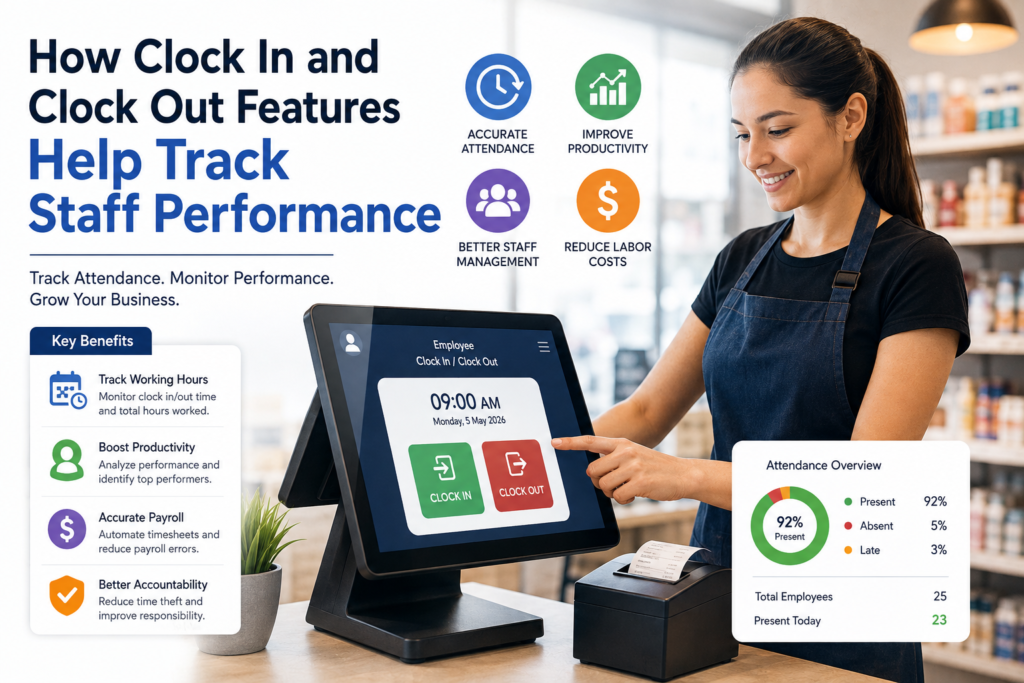
The Clock In and Clock Out feature allows employees to record the start and end of their work shifts directly through the POS system.
The system automatically logs:
- Employee name
- Clock-in time
- Clock-out time
- Total hours worked
- Break times (if supported)
- Overtime hours
- Shift duration
This eliminates manual attendance records and provides accurate workforce data.
Why Staff Performance Tracking Matters
Monitoring employee performance helps businesses:
- Improve productivity
- Reduce attendance issues
- Optimize staff scheduling
- Control labor costs
- Ensure accountability
- Deliver better customer service
Accurate attendance data enables managers to make informed staffing decisions.
1. Tracks Employee Attendance Accurately
The Clock In and Clock Out feature automatically records when employees start and finish their shifts.
Benefits
- Eliminates manual timesheets
- Reduces attendance disputes
- Provides accurate work-hour records
- Prevents timekeeping errors
Reliable attendance tracking creates a fair and transparent workplace.
2. Measures Working Hours
The POS system calculates each employee’s total hours worked automatically.
Managers can quickly view:
- Daily hours
- Weekly hours
- Monthly hours
- Overtime hours
Benefits
- Simplifies payroll preparation
- Improves labor cost tracking
- Ensures employees are paid accurately
3. Improves Staff Productivity
Attendance data can be combined with sales performance and transaction reports.
Managers can compare:
- Hours worked
- Sales completed
- Customers served
- Average transaction value
This helps identify high-performing employees and those who may need additional training.
Benefits
- Performance evaluation
- Better coaching opportunities
- Increased team productivity
4. Reduces Time Theft
Manual attendance systems can allow practices such as “buddy punching,” where one employee clocks in for another.
A POS-based clock system reduces these issues by requiring employees to use their own login credentials or secure authentication methods.
Benefits
- Improved accountability
- More accurate attendance records
- Reduced payroll fraud
5. Simplifies Employee Scheduling
Attendance reports reveal:
- Peak business hours
- Understaffed shifts
- Overstaffed periods
- Employee availability
Managers can use this information to create more efficient schedules.
Benefits
- Better workforce planning
- Lower labor costs
- Improved customer service
6. Supports Payroll Accuracy
Since attendance is recorded automatically, payroll calculations become faster and more accurate.
The POS system can provide:
- Regular working hours
- Overtime hours
- Shift totals
- Attendance summaries
Benefits
- Reduced payroll errors
- Faster payroll processing
- Less administrative work
7. Monitors Punctuality
The Clock In and Clock Out report helps managers identify:
- Late arrivals
- Early departures
- Missed shifts
- Frequent absenteeism
Addressing these issues early improves workplace discipline and operational efficiency.
8. Generates Detailed Staff Report
Modern POS systems provide attendance reports such as:
- Daily attendance
- Weekly attendance
- Monthly attendance
- Employee working hours
- Overtime summaries
- Shift history
These reports help managers evaluate overall staff performance.
9. Improves Business Decision-Making
Attendance and performance reports help managers:
- Allocate staff more effectively
- Reward top-performing employees
- Identify training needs
- Plan future staffing requirements
Data-driven decisions improve both employee performance and customer service.
10. Enhances Employee Accountability
When employees know their attendance and work hours are tracked accurately, they are more likely to:
- Arrive on time
- Complete assigned shifts
- Follow company policies
- Maintain consistent performance
This creates a more responsible and productive work environment.
Best Practices for Using Clock In and Clock Out
Train Employees
Ensure all staff understand how to correctly clock in and out using the POS system.
Review Attendance Reports Regularly
Monitor attendance patterns and address issues before they affect operations.
Combine Attendance with Performance Reports
Compare attendance data with sales and productivity reports for a complete performance overview.
Monitor Overtime
Track overtime to manage labor costs and ensure compliance with workplace policies.
Keep Employee Records Updated
Maintain accurate staff information within the POS system for reliable reporting.
Businesses That Benefit from Clock In and Clock Out Features
This feature is valuable for:
- Retail stores
- Supermarkets
- Restaurants
- Cafés
- Bakeries
- Barber shops
- Salons
- Hotels
- Pharmacies
- Convenience stores
- Hospitality businesses
Final Thoughts
The Clock In and Clock Out feature is more than just an attendance tracker—it is a powerful workforce management tool. By accurately recording work hours, monitoring attendance, supporting payroll, and providing valuable performance insights, it helps businesses improve productivity and reduce administrative effort.
When integrated into a modern POS system, Clock In and Clock Out functionality enables managers to optimize staffing, reward high-performing employees, control labor costs, and deliver better customer service. Whether you manage a small business or multiple locations, using attendance data effectively can contribute to long-term business success.
Frequently Asked Questions (FAQ)
1. What is the Clock In and Clock Out feature in a POS system?
It is a feature that allows employees to record the start and end of their work shifts, automatically tracking attendance and working hours.
2. How does it help track staff performance?
It provides accurate attendance records that can be compared with sales and productivity reports to evaluate employee performance.
3. Can it improve payroll accuracy?
Yes. The system automatically calculates working hours and overtime, reducing payroll errors and saving administrative time.
4. Does it help reduce time theft?
Yes. Secure employee logins and automated attendance tracking help prevent practices such as buddy punching and inaccurate time reporting.
5. Can managers view attendance reports?
Yes. Most POS systems generate daily, weekly, and monthly attendance reports, along with overtime and shift summaries.
6. Which businesses benefit from this feature?
Retail stores, restaurants, cafés, supermarkets, salons, hotels, pharmacies, and many other businesses can benefit from automated attendance tracking.
7. Does the Clock In and Clock Out feature improve scheduling?
Yes. Attendance data helps managers create efficient schedules based on employee availability and peak business hours.
8. Why should businesses use a POS system for attendance tracking?
A POS-based attendance system improves accuracy, simplifies payroll, enhances staff accountability, reduces administrative work, and provides valuable insights into employee performance.