How POS Systems Help Manage Promotions and Discounts
Promotions and discounts are powerful tools for attracting customers, increasing sales, and encouraging repeat purchases. However, managing different offers manually can quickly become complicated, especially for businesses running multiple promotions at the same time. A modern POS system can simplify this process by allowing businesses to create, apply, and track discounts directly from the point of sale.
From percentage discounts and special prices to promotional campaigns and product offers, POS software can help businesses reduce pricing errors while giving staff a faster way to apply promotions during checkout.

Why Promotions and Discounts Matter for Businesses
Businesses use promotions for many different reasons. A retailer may offer a discount to clear slow-moving stock, while a restaurant may introduce a lunch special to attract customers during quieter periods.
Common promotional strategies include:
- Percentage discounts
- Fixed-amount discounts
- Buy-one-get-one offers
- Product-specific promotions
- Category discounts
- Seasonal promotions
- Customer-specific discounts
- Limited-time offers
- Loyalty rewards
- Special event promotions
While promotions can increase sales, managing them manually can lead to pricing mistakes and inconsistent discounts. This is where a POS system can make a significant difference.
How POS Systems Manage Promotions and Discounts
A POS system allows businesses to configure promotional rules within the software. Once a promotion is created, the system can automatically apply the correct pricing or discount when the relevant conditions are met.
For example, a business could create an offer where customers receive 10% off selected products during a particular promotional period. Instead of employees calculating the discount manually, the POS can apply the configured discount during checkout.
This reduces manual calculations and helps ensure that customers receive the correct promotional price.
1. Automate Discount Calculations
One of the biggest advantages of using a POS system for promotions is automated discount calculation.
Instead of employees calculating percentages or subtracting fixed amounts manually, the POS can calculate the discount automatically.
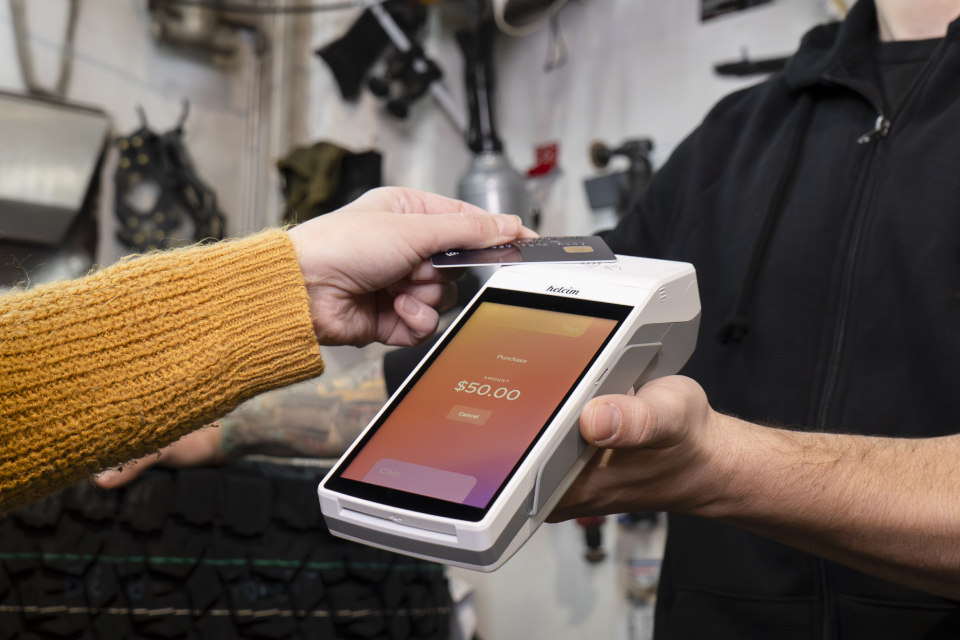
For example, if a $50 product has a 10% discount, the system can calculate the discounted price without requiring the employee to work it out manually.
This can help reduce:
- Calculation errors
- Incorrect prices
- Checkout delays
- Employee confusion
Automation becomes particularly useful when a business handles a large number of transactions.
2. Apply Discounts to Specific Products
Not every promotion applies to every product. A POS system can allow businesses to configure promotions for selected products or product categories.
For example, a clothing store might offer 20% off selected jackets, while a grocery store could discount a particular range of products.
This gives businesses greater control over their promotional campaigns and prevents discounts from being accidentally applied to products that are not part of the offer.
3. Manage Time-Based Promotions
Many promotions are only available for a specific period.
A business might run:
- Weekend discounts
- Lunch specials
- Holiday promotions
- End-of-season sales
- Happy-hour offers
- Limited-time product deals
A POS system can help businesses manage these time-based promotions by defining when an offer should become active and when it should end.
This reduces the need for staff to remember when promotions start and finish and helps businesses maintain consistent pricing.
4. Reduce Pricing Errors at Checkout
Manual discounting creates opportunities for mistakes.
An employee may accidentally apply the wrong percentage, discount the wrong product or forget to apply a promotion altogether.
When promotions are configured within the POS system, the software can apply the appropriate discount based on the rules established by the business.
This can create a more consistent checkout experience for both employees and customers.
5. Give Employees Clearer Checkout Processes
Promotions can sometimes be confusing for employees, particularly when multiple offers are running simultaneously.
A POS system can simplify the process by providing clear information at checkout.
Depending on the POS software and configuration, staff may be able to see:
- Promotional prices
- Available discounts
- Discount amounts
- Product eligibility
- Final selling prices
This means employees spend less time trying to remember promotional rules and more time serving customers.
6. Support Different Types of Discounts
Modern POS systems can support different discount structures depending on the needs of the business.
For example, a business may use:
Percentage discounts:
10%, 20% or 50% off selected products.
Fixed discounts:
$5 or $10 off a purchase.
Product promotions:
Special prices on specific products.
Category promotions:
Discounts applied to an entire product category.
Quantity-based offers:
Discounts triggered when customers purchase a certain quantity.
Having different promotional options allows businesses to create campaigns that match their sales objectives.
7. Help Prevent Unauthorised Discounts
Discount controls are also important from a business management perspective.
Without proper controls, employees may apply discounts that they are not authorised to provide. This can reduce profit margins and make it difficult for managers to understand why discounts are being given.
A POS system can provide businesses with greater control over who can apply certain discounts and how promotional rules are configured.
Depending on the system, businesses may also be able to require manager approval for specific discounts.
8. Track Promotional Sales
Creating a promotion is only part of the process. Businesses also need to understand whether the promotion is actually working.
POS reporting can help businesses analyse sales activity associated with discounts and promotions.
For example, businesses may want to determine:
- How many discounted products were sold
- Which promotions generated the most sales
- How much revenue was discounted
- Which products performed best during a promotion
- Whether promotional sales increased overall revenue
This information can help business owners make better decisions about future campaigns.
9. Protect Profit Margins
A promotion may increase sales, but increased sales do not always mean increased profitability.
For example, a business offering a large discount may sell more products but generate less profit per transaction.
A POS system can help businesses monitor promotional sales and understand how discounts affect overall revenue.
By reviewing sales and discount reports, business owners can identify which promotions are beneficial and which may need to be adjusted.
10. Make Seasonal Promotions Easier to Manage
Seasonal promotions can be particularly useful for retailers, restaurants and other businesses.
Examples include:
- Christmas promotions
- New Year sales
- End-of-season discounts
- Valentine’s Day offers
- Easter promotions
- Back-to-school offers
Instead of relying entirely on manual price changes, businesses can configure promotional pricing within their POS system.
This makes it easier to manage large numbers of products and maintain consistent pricing throughout a campaign.
POS Promotions Can Improve the Customer Experience
A smooth promotion process benefits customers as well as employees.
Customers expect advertised discounts to be applied correctly and quickly. When staff have to manually calculate promotions, checkout can take longer and mistakes can occur.
With a properly configured POS system, promotional pricing can be applied more consistently, helping create a faster and more reliable checkout experience.
Best Practices for Managing Promotions With a POS System
Businesses can get better results from POS promotions by following a few simple practices.
Plan Promotions Before Launching Them
Define the products, discount values, eligibility requirements and promotional dates before activating an offer.
Keep Promotional Rules Simple
Complicated promotions can confuse employees and customers. Where possible, create clear and easy-to-understand offers.
Test Promotions Before Going Live
Always test a promotion before customers begin using it. Check that the correct products, prices and discount values are being applied.
Monitor Promotional Performance
Use POS reports to evaluate whether promotions are increasing sales and delivering the expected results.
Review Discounts Regularly
Remove expired promotions and review older offers to ensure your POS system does not contain unnecessary or outdated discount rules.
Train Employees
Make sure employees understand how promotions work and what they are authorised to apply.
How POS Promotions Help Businesses Save Time
Managing promotions manually can require employees to remember pricing rules, calculate discounts and make manual adjustments at checkout.
A POS system can automate many of these tasks.
This allows employees to process transactions faster while giving managers greater control over pricing and promotional activity.
For businesses with multiple employees or locations, this can become even more valuable because promotional rules can help maintain consistency across different points of sale.
Final Thoughts
Promotions and discounts can be an effective way to attract customers, increase sales and move specific products. However, managing promotions manually can create unnecessary work and increase the risk of pricing errors.
A modern POS system can simplify promotional management by automating discount calculations, controlling product eligibility, supporting time-based offers and providing useful sales data.
When promotions are combined with accurate POS reporting, businesses can go beyond simply offering discounts. They can understand which promotions work, measure their results and make better decisions about future campaigns.
For businesses looking to make promotions easier to manage while maintaining accurate pricing and better control over sales, integrating promotions and discounts into the POS system can be a valuable part of their overall strategy.