How POS Integration with Online Ordering Helps Businesses Boost Sales and Improve Efficiency
In today’s competitive retail and hospitality industries, customers expect convenient shopping experiences, faster service, and flexible ways to place orders. Whether they are shopping online, ordering food, or visiting a physical store, customers want a simple and seamless purchasing experience.
Managing online orders separately from in-store sales can create challenges for businesses. Staff may need to enter orders manually, update stock levels across different platforms, and manage sales information from multiple systems. These tasks can increase workload and lead to mistakes.
This is where POS integration with online ordering makes a difference.
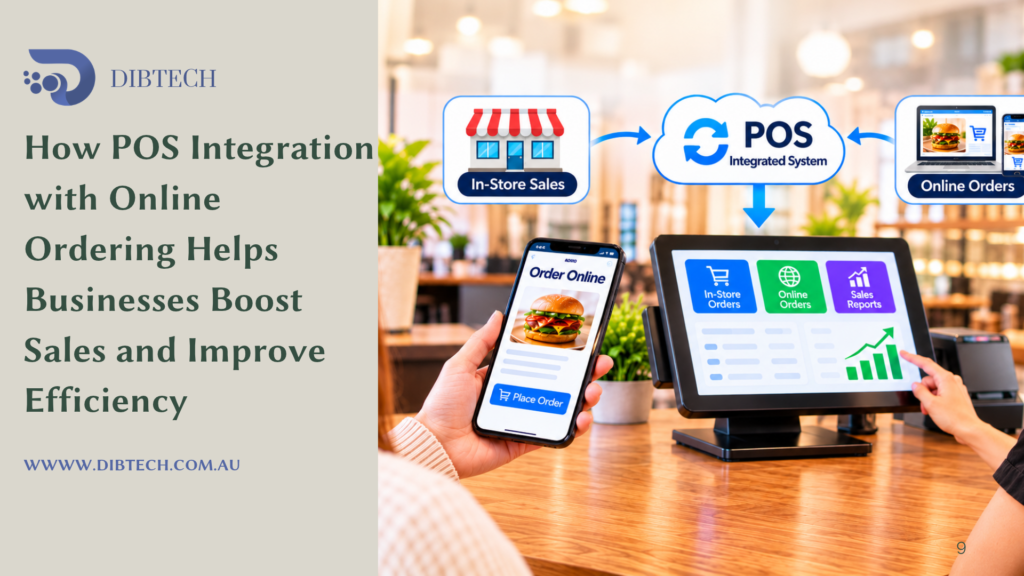
By connecting an online ordering platform with a Point of Sale (POS) system, businesses can manage online and in-store orders through a more connected workflow. This integration can help improve order management, streamline operations, increase sales opportunities, and create a better customer experience.
Let’s explore how POS and online ordering integration helps businesses grow.
1. Manage Online and In-Store Orders in One System
One of the biggest advantages of integrating online ordering with a POS system is centralised order management.
Without integration, businesses may need to manage website orders, phone orders, and in-store transactions separately. This can make it difficult to monitor daily sales and manage incoming orders efficiently.
With an integrated system, online orders can flow directly into the POS, allowing staff to manage different order types from one platform.
For example, a grocery store can receive orders from customers visiting the shop as well as customers ordering through its website. Both sales channels can be managed through the POS system, depending on the integration.
This helps businesses maintain better visibility over their daily operations.
2. Reduce Manual Order Entry and Human Errors
Manually transferring online orders into a POS system can take time and increase the possibility of mistakes.
Staff may accidentally enter incorrect product quantities, select the wrong items, or overlook special customer instructions.
POS integration helps reduce these problems by transferring supported online orders directly into the POS system.
This can minimise repetitive data entry and help ensure that order details are available to the relevant staff members.
For example, when a customer orders three products through an online store, the order can be transferred into the POS with the selected products and quantities rather than requiring an employee to enter everything manually.
This saves time and supports more accurate order processing.
3. Improve Inventory Management
Managing stock across multiple sales channels can be challenging, particularly for businesses selling products both online and in-store.
If inventory is not updated properly, a customer might purchase an item online that has already sold out in the physical store.
When online ordering is integrated with POS inventory management, stock information can be updated across connected channels, depending on the system’s synchronisation capabilities.
For example, when a customer purchases the last available product in-store, the integrated system may update its online availability automatically.
This helps businesses:
- Maintain more accurate stock information.
- Reduce the risk of overselling.
- Identify low-stock products.
- Monitor product movement.
- Make better purchasing decisions.
Accurate inventory information can improve customer satisfaction and reduce unnecessary stock management work.
4. Increase Sales Through Multiple Ordering Channels
An integrated POS and online ordering system gives businesses more opportunities to generate revenue.
Instead of depending only on customers who visit the physical store, businesses can accept orders through their websites or supported online ordering platforms.
This allows customers to purchase products or services from wherever they are, subject to the business’s delivery and collection arrangements.
For example:
- Grocery stores can accept online grocery orders.
- Restaurants can receive takeaway and pickup orders.
- Bakeries can accept advance cake and pastry orders.
- Retail shops can sell products through their websites.
Offering multiple ordering channels helps businesses reach more customers and create additional sales opportunities.
5. Improve Customer Convenience and Experience
Customer convenience plays an important role in purchasing decisions.
Online ordering allows customers to browse products, compare prices, select items, and place orders without visiting the physical store.
When connected to a POS system, businesses can manage these orders more efficiently and provide a smoother purchasing experience.
Depending on the platform, customers may also have access to features such as:
- Product images and descriptions.
- Online promotions and discounts.
- Pickup and delivery options.
- Order confirmation and status updates.
- Online payment facilities.
- Saved customer details for easier repeat purchases.
A convenient ordering experience can encourage customers to return and purchase again.
6. Speed Up Order Processing
Delays in processing orders can affect customer satisfaction and create additional pressure on employees.
An integrated POS system can help streamline the process by automatically transferring online orders to the appropriate workflow.
For example, when a customer places a food order through a restaurant’s website, the order can appear in the POS and be sent to a kitchen printer or Kitchen Display System (KDS), depending on the setup.
Kitchen staff can then begin preparing the order without waiting for someone to manually communicate the details.
For retail businesses, staff can receive online orders and prepare the products for pickup or delivery.
This helps reduce unnecessary steps and makes order fulfilment more organised.
7. Create More Opportunities for Promotions and Upselling
Promotions are an effective way to attract customers and encourage additional purchases.
An online ordering platform can display special offers, recommended products, and promotional combinations while customers browse.
When connected to a POS system, supported promotions can be managed more consistently across online and in-store sales channels.
For example:
- A grocery store can promote discounts on selected products.
- A restaurant can offer meal combinations.
- A bakery can promote seasonal products.
- A retail shop can offer discounts when customers purchase multiple items.
Businesses can also recommend complementary products during the online checkout process.
For example, a customer purchasing a coffee machine may be encouraged to add coffee beans or accessories.
These features can help increase average order value and create more opportunities to boost sales.
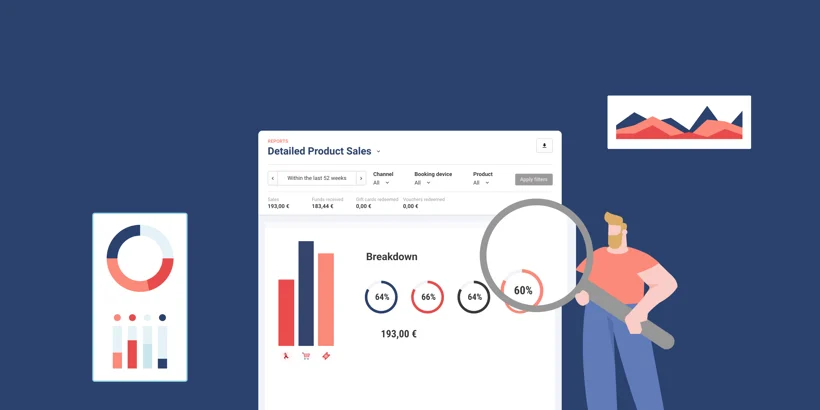
8. Simplify Sales Tracking and Reporting
When online orders and in-store transactions are managed through a connected POS system, business owners can gain a clearer overview of sales performance.
Instead of checking several platforms separately, they can use available POS reports to analyse sales information across connected channels.
Depending on the system’s reporting features, businesses may be able to monitor:
- Total sales.
- Online and in-store sales performance.
- Best-selling products.
- Order volumes.
- Peak sales periods.
- Payment methods.
- Product performance.
These insights help business owners understand customer purchasing behaviour and identify opportunities for improvement.
For example, if online orders increase significantly during weekends, a business may adjust its staffing levels or stock availability to handle demand more effectively.
9. Improve Payment and Transaction Management
Managing payments from different sales channels can become complicated when information is spread across separate platforms.An integrated POS and online ordering solution can help businesses keep order and payment information organised.
Depending on the payment integration, online transactions can be recorded against the corresponding orders, while in-store transactions can continue to be processed through the POS and connected EFTPOS terminal.
This helps businesses:
- Monitor completed and pending payments.
- Review transaction records.
- Manage refunds where supported.
- Reconcile sales information.
- Reduce manual payment recordkeeping.
Businesses should ensure that their online ordering and POS platforms support the required payment methods and transaction workflows.
10. Save Staff Time and Improve Productivity
Employees often spend considerable time handling repetitive administrative activities, including entering orders, checking product availability, updating stock, and confirming payments.Integrating online ordering with a POS system can reduce some of these manual tasks.
Staff can spend more time focusing on customer service, preparing orders, managing inventory, and other important responsibilities.For example, instead of manually entering orders received through a website, employees can view supported online orders directly within the POS workflow.
This can improve staff productivity and help businesses manage higher order volumes more effectively.
11. Support Business Growth and Expansion
As a business grows, managing multiple sales channels becomes increasingly important.A connected POS and online ordering system can provide a more organised foundation for managing additional products, customers, and orders.
For businesses operating multiple locations, some platforms also support centralised product management, inventory visibility, and sales reporting across branches.For example, a retail business with several stores may use an integrated system to monitor online orders and in-store sales across supported locations.
This can help management understand business performance and make better decisions when planning expansion.
Best Practices for Integrating POS with Online Ordering
To get the most out of POS and online ordering integration, businesses should consider the following practices:
- Choose a compatible platform: Make sure the online ordering solution supports integration with your POS software.
- Keep product information updated: Maintain accurate product names, descriptions, prices, and images.
- Synchronise inventory: Configure stock updates across connected sales channels where supported.
- Configure order management: Ensure online orders reach the correct staff members or preparation stations.
- Set up payment integration: Check that online and in-store payment workflows operate correctly.
- Train employees: Make sure staff understand how to receive, process, and complete online orders.
- Monitor sales performance: Regularly review sales reports, order volumes, and customer purchasing trends.
- Test the complete workflow: Place test orders to check product selection, pricing, stock updates, notifications, and payment processing.
A properly configured integration can help reduce operational difficulties and create a smoother experience for both customers and employees.
Conclusion
POS integration with online ordering is becoming an important solution for businesses that want to improve efficiency and increase sales opportunities.
By connecting online and in-store transactions, businesses can simplify order management, reduce manual entry, improve inventory visibility, speed up order processing, and gain better insights into sales performance.Customers benefit from convenient ordering options, while employees can spend less time managing repetitive tasks and more time focusing on customer service and business operations.
A connected POS and online ordering system does more than manage transactions. It helps businesses create a smarter, more convenient, and more efficient way to sell.