How to Choose a Label Printer for Your Retail Store
Accurate product labelling is essential for retail businesses. From grocery stores and supermarkets to clothing shops and warehouses, labels help identify products, display prices, and make stock management easier. Choosing the right label printer for your retail store can save time, reduce printing errors, and improve daily operations.
However, not every label printer is suitable for every business. The right choice depends on the type of labels you need, your printing volume, label size, and whether the printer needs to work with your POS system.
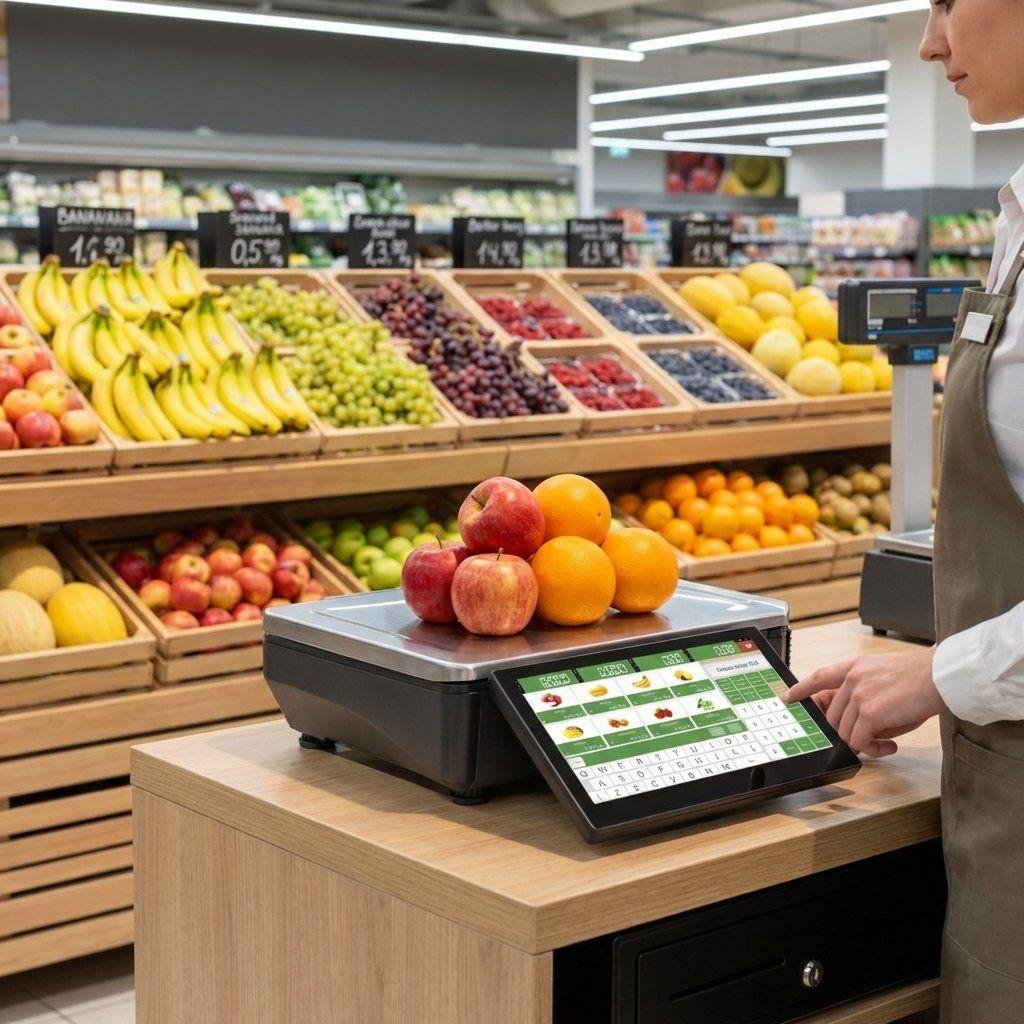
What Is a Retail Label Printer?
A retail label printer is a device used to print product labels, barcode labels, price tags, and other identification labels. Unlike standard office printers, label printers are designed to print on specialised label rolls or sheets.
Retail businesses use label printers to create barcode labels for products, price labels for shelves, and identification labels for stock management. Some businesses also use them to print labels containing product weights and prices.
When connected to a suitable POS or inventory management system, a label printer can help businesses maintain consistent product information across their operations.
Types of Label Printers for Retail Stores
Before choosing a printer, it is important to understand the main types available.
1. Direct Thermal Label Printers
Direct thermal printers use heat-sensitive label paper to produce text, barcodes, and other information. They do not require an ink cartridge or thermal transfer ribbon.
These printers are suitable for short-term labelling applications, such as temporary product labels, shipping labels, and some price labels.
Best for: Businesses that need simple, cost-effective labels and do not require them to remain readable for extended periods under heat, sunlight, or other challenging conditions.
2. Thermal Transfer Label Printers
Thermal transfer printers use heat to transfer ink from a ribbon onto a label. This method generally produces more durable labels than direct thermal printing.
They are useful when labels need to withstand handling, storage, or longer periods of use.
Best for: Retailers that need durable barcode labels, stock identification labels, or product labels that must remain readable over time.
3. Desktop Label Printers
Desktop label printers are compact devices designed for use on a counter or desk. They are suitable for small and medium-sized businesses that print labels regularly but do not need industrial printing capacity.
Best for: Grocery stores, small retailers, boutiques, and businesses with moderate label printing requirements.
4. Industrial Label Printers
Industrial printers are designed for high-volume printing and demanding working environments. They typically support larger label rolls and are built for more intensive use.
Best for: Large warehouses, distribution centres, manufacturers, and retailers that print large quantities of labels.
6 Factors to Consider When Choosing a Label Printer
1. Understand Your Label Printing Requirements
Start by identifying what you need to print. A grocery store may require barcode and price labels, while a clothing retailer may need product identification labels and a warehouse may need stock location labels.
Consider the following questions:
- Will you print product barcodes, shelf labels, or price tags?
- Do you need labels containing weight and pricing information?
- How large do the labels need to be?
- Will the labels be used temporarily or for long-term identification?
Understanding these requirements will help you choose a printer that suits your daily operations.
2. Check Compatibility with Your POS System
Printer compatibility is one of the most important factors to consider when selecting a retail label printer.
Your POS system must support the printer model, connection method, and label format you intend to use. Some printers connect through USB, while others support Ethernet, Wi-Fi, or Bluetooth.
Before purchasing a printer, confirm that your POS software supports it and that the required drivers are available for your operating system.
You should also check whether your software can generate the correct barcode format and print the required label layout. A printer that works with your computer may not automatically work with your POS application.
3. Choose the Right Printing Technology
Your printing technology should match the type of labels you use.
Direct thermal printing can be suitable for labels that do not need long-term durability. Thermal transfer printing is often a better choice when labels must remain readable for longer periods.
For example, a retailer printing short-term labels may prefer direct thermal printing, while a business producing durable product identification labels may benefit from thermal transfer technology.
Consider the expected label lifespan, storage conditions, and exposure to heat or sunlight before making a decision.
4. Consider Printing Speed and Volume
The number of labels you print each day will influence the type of printer you need.
A small retail store that prints labels occasionally may be well served by a desktop model. A supermarket or warehouse that regularly prints hundreds or thousands of labels may require a faster printer designed for higher workloads.
Choosing a printer that matches your printing volume can help avoid unnecessary costs and reduce delays during busy periods.
5. Check Label Size and Media Compatibility
Not all label printers support the same label widths, roll sizes, or materials.
Before purchasing a printer, check:
- The maximum and minimum label width.
- Supported label roll and core sizes.
- Whether it supports gap, black-mark, or continuous media, as required.
- Whether it can print on the label material you use.
- Whether the printer supports the label dimensions required by your POS software.
These details are particularly important for retailers using barcode labels, price tags, or labels generated by weighing scales.
6. Compare the Total Cost of Ownership
The purchase price is only one part of the cost of owning a label printer.
You should also consider the ongoing costs of label rolls, thermal transfer ribbons where required, replacement printheads, maintenance, and compatible software or accessories.
A cheaper printer may not be the most economical option if it cannot handle your workload or requires frequent replacement. Compare the expected running costs and reliability before making your decision.
Common Label Printer Mistakes Retailers Should Avoid
Choosing the wrong printer can lead to wasted labels, unreadable barcodes, and unnecessary troubleshooting.
Avoid these common mistakes:
- Ignoring POS compatibility: Confirm support for the printer model, drivers, and required label formats.
- Choosing the wrong printing technology: Match direct thermal or thermal transfer printing to your label requirements.
- Using incorrect label dimensions: Make sure the printer settings match the actual label size.
- Overlooking barcode quality: Test printed barcodes with your scanners before printing large quantities.
- Ignoring print settings: Incorrect darkness, speed, or media settings can affect print quality.
- Buying without testing: Print sample labels and check alignment, readability, and cutting or feeding performance before using the printer regularly.
How a Label Printer Improves Retail Operations
The right label printer can help retail businesses maintain accurate product identification and streamline routine tasks.
Barcode labels make it easier for staff to identify products during checkout and stocktaking. Consistent price labels can reduce confusion on shelves, while suitable product labels can help organise inventory.
For businesses selling products by weight, a compatible weighing scale and label printing setup can also help produce labels containing the relevant product information, weight, price, and barcode.
When the printer, POS system, and other equipment are configured correctly, these tools can support a more efficient retail workflow.
Choosing the Right Label Printer for Your Business
The best label printer depends on your business requirements, printing volume, label type, and existing equipment. A small shop may need a compact desktop printer, while a high-volume retailer may benefit from a more robust model.
Before making your purchase, confirm compatibility with your POS software, test the required label formats, and consider the ongoing cost of consumables.
Looking for a reliable POS setup for your retail business? Dibtech provides POS solutions designed to support retail operations. Choosing compatible hardware and properly configured software can help your business manage product information, barcode labelling, and everyday checkout tasks more efficiently.