How Kitchen Printers Work With Restaurant POS Systems
In a busy restaurant, getting orders to the kitchen quickly is essential. Even a small delay or mistake can affect the entire service.
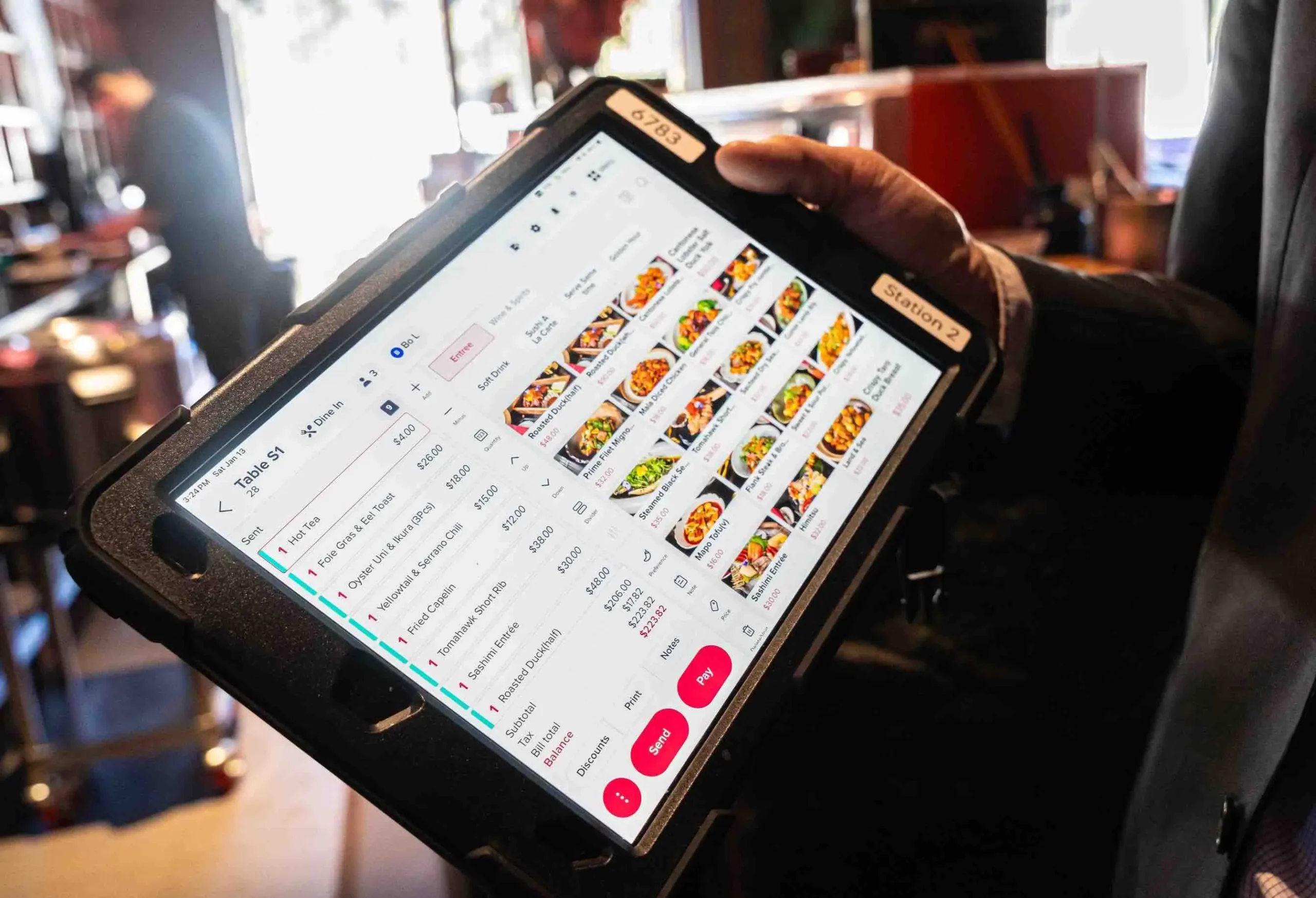
A POS restaurant system can help by sending orders directly to kitchen printers. Instead of staff communicating orders manually, the system sends the right items to the right printer.
Modern restaurant POS systems can do much more than process payments. They can help manage orders, kitchen printing, payments, reporting, and other daily operations from one system.
What Is a Kitchen Printer?
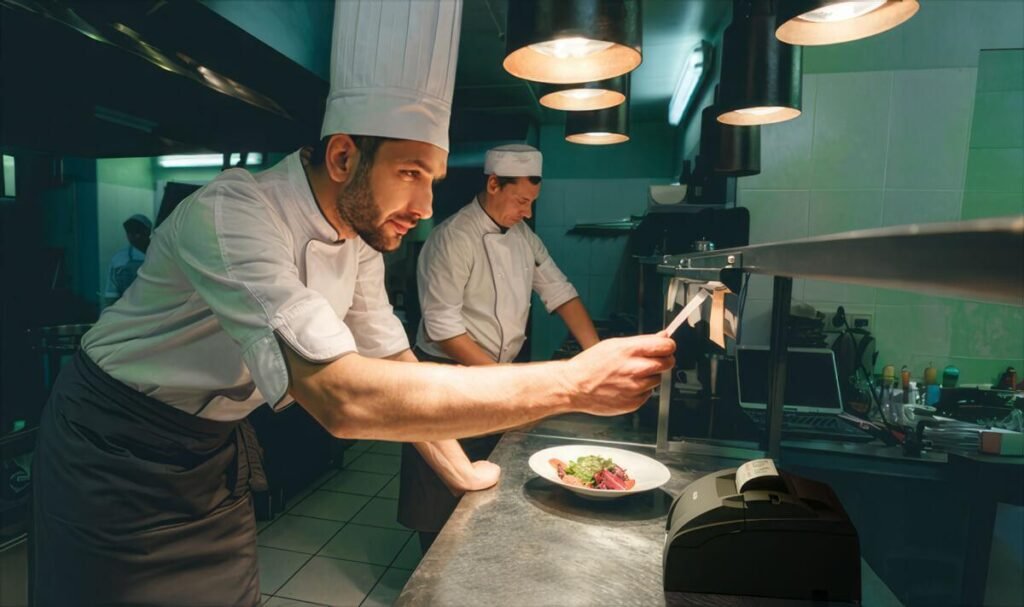
A kitchen printer is a printer used to print food and drink orders for kitchen staff. It connects to the restaurant’s POS system and prints an order ticket when a customer submits an order.
A typical kitchen ticket may include:
- Table or order number
- Ordered items
- Quantity
- Special requests
- Product modifications
- Kitchen notes
- Order type, such as dine-in or takeaway
The kitchen team can then use the printed ticket as a guide while preparing the order.
For restaurants using a POS restaurant system, a reliable kitchen printer can be an important part of keeping orders organised.
How Does a POS Restaurant System Work With a Kitchen Printer?
The process is simple. Once an order is entered into the POS, the system sends the relevant items to the correct printer.
1. Staff Enter the Order
First, a waiter or staff member enters the customer’s order into the POS restaurant system.
The order can include food, drinks, modifiers, and special requests.
2. The POS System Organises the Order
Next, the POS system checks the items in the order and identifies where they should be printed.
For example, a restaurant may have separate printers for different areas:
- Kitchen printer for food
- Bar printer for drinks
- Dessert printer
- Takeaway printer
This setup is especially useful for busy restaurants with different preparation areas.
3. The Order Is Sent to the Printer
Once the order is submitted, the POS restaurant system sends each item to the assigned printer.
For example, a customer may order a burger, chips, and a soft drink. The burger and chips can print in the kitchen, while the soft drink prints at the bar.
This saves staff from manually separating the order.
4. Kitchen Staff Prepare the Order
The kitchen printer then produces the order ticket.
Kitchen staff can see exactly what needs to be prepared. They can also refer to any special instructions included on the ticket.
Why Do Restaurants Use Kitchen Printers?
Kitchen printers can make restaurant operations faster and more organised.
Faster Order Communication
Orders can reach the kitchen as soon as they are entered into the POS system.
Staff do not need to walk to the kitchen or verbally communicate every order. This can save valuable time during busy periods.
Fewer Order Mistakes
Printed tickets give kitchen staff a clear record of each order.
This can reduce mistakes caused by poor communication, forgotten items, or unclear handwritten notes.
A well-configured POS restaurant system can also ensure that order details, modifiers, and special requests are sent correctly to the kitchen.
Better Organisation
Restaurants can receive many orders during lunch and dinner rushes.
Kitchen tickets give staff a simple way to keep track of incoming orders and prepare them in an organised manner.
Clear Special Instructions
Customers often have special requests, such as removing an ingredient or adding an extra item.
When these instructions are sent from the POS system to the kitchen printer, kitchen staff can easily see them on the order ticket.
Smoother Restaurant Workflow
Kitchen printers can also help different areas of a restaurant work together.
For example, food can be sent to the kitchen while drinks are sent to the bar. Each team receives only the information they need.
Why Is Printer Routing Important?
One important feature of a restaurant POS system is printer routing.
Printer routing determines where each product or product category should be printed.
For example:
| Product | Printer |
| Burger | Kitchen Printer |
| Pizza | Kitchen Printer |
| Coffee | Bar Printer |
| Soft Drink | Bar Printer |
| Dessert | Dessert Printer |
With the correct setup, each item automatically goes to the appropriate preparation area.
This is especially useful for restaurants with separate kitchen, bar, dessert, or takeaway stations.
When choosing a POS restaurant system, businesses should check whether it supports the printer configuration needed for their workflow.
What Happens If a Kitchen Printer Stops Working?
A kitchen printer problem can quickly affect restaurant operations. If orders are not printing, staff may not know what needs to be prepared.
Common causes include:
- Printer is switched off
- Paper has run out
- Loose or damaged cable
- Network connection problem
- Incorrect printer configuration
- Printer communication issue
- Print queue problem
Start by checking that the printer has power and enough paper.
Next, check the connection between the printer and the POS system. If the printer is connected through a network, make sure it is still connected correctly.
It is also important to check the printer settings in the POS system.
If your restaurant uses EFTPOS integration, remember that payment connectivity and kitchen printing are separate functions. A payment issue does not necessarily mean there is a problem with the kitchen printer.
Kitchen Printers vs Kitchen Display Systems
Kitchen printers are not the only option for sending orders to the kitchen.
Many restaurants now use Kitchen Display Systems (KDS). Instead of printing orders on paper, a KDS displays them on a screen.
Both options have advantages.
Kitchen printers are simple and familiar. They can also provide a physical record of an order.
A KDS can reduce paper use and give kitchen staff a digital view of incoming orders.
The best option depends on the restaurant’s size, workflow, budget, and requirements.
For businesses considering a cloud POS system, it is worth checking whether the system supports their preferred kitchen workflow.
How to Set Up a Kitchen Printer With a POS System
Setting up a kitchen printer usually involves a few basic steps:
- Connect the printer to the POS environment.
- Make sure the printer has power.
- Check the printer’s network or cable connection.
- Add the printer to the POS system.
- Assign products or categories to the printer.
- Place a test order.
- Check that the correct items are printed.
- Test special requests and modifiers.
Testing is important. A simple configuration mistake can cause orders to print at the wrong station.
When setting up a POS restaurant system, it is also worth testing the complete workflow, from entering an order through to kitchen preparation and payment.
Tips for Keeping Kitchen Printers Reliable
A few simple practices can help prevent printing problems.
Check the Paper Regularly
Make sure there is enough paper before busy service periods. Running out of paper can prevent new orders from printing.
Keep the Printer Accessible
Place the printer somewhere staff can easily check it. This makes it easier to identify problems with paper, power, or connectivity.
Check Printer Assignments
When adding new menu items, make sure they are assigned to the correct printer.
For example, a new drink should not accidentally be assigned to the kitchen printer.
Test Configuration Changes
After changing printer settings, place a test order.
This helps confirm that every item is being sent to the correct location.
Keep Connections Secure
Loose cables and network problems can stop orders from reaching the printer. Regularly check the connections if printing issues occur.
Conclusion
Kitchen printers are an important part of many restaurant POS systems. They help send orders from the front of the restaurant directly to the kitchen and other preparation areas.
With the right printer setup, restaurants can improve communication, reduce order mistakes, and keep service running smoothly.
Printer routing is particularly useful for restaurants with multiple preparation areas. It ensures that food, drinks, desserts, and takeaway items reach the right team.
Whether you use one kitchen printer or several, proper POS printer configuration is essential for a reliable restaurant workflow.
When choosing a POS restaurant system, businesses should look beyond payment processing. Features such as kitchen printing, printer routing, reporting, order management, and EFTPOS integration can all play an important role in daily operations.
A well-configured POS system can help restaurant teams spend less time managing technology and more time serving customers.