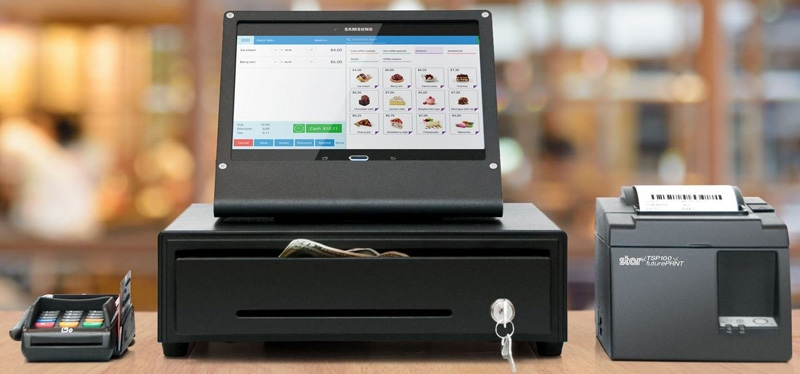
How POS Systems Manage Products Sold by Weight
Selling products by weight is common in grocery stores, fruit shops, butcher shops, and supermarkets across Australia. From fresh fruits and vegetables to meat, seafood, and bulk food, businesses need an accurate way to calculate prices, manage stock, and process customer purchases.
A POS system that supports products sold by weight can simplify these tasks by connecting weighing scales, product pricing, barcode labels, and checkout operations in one workflow.
What Are Weight-Based Products in a POS System?
Weight-based products are items sold according to their measured weight rather than a fixed quantity. For example, customers may purchase 2 kg of apples, 500 g of beef, or 250 g of nuts.
Instead of charging a fixed price per item, the POS system calculates the total price based on the product’s weight and its price per kilogram or gram.
For example, if apples cost $4 per kilogram and a customer purchases 2.5 kg, the POS system calculates the total as $10.
How Does a POS System Manage Products Sold by Weight?
1. Integration with Digital Weighing Scales
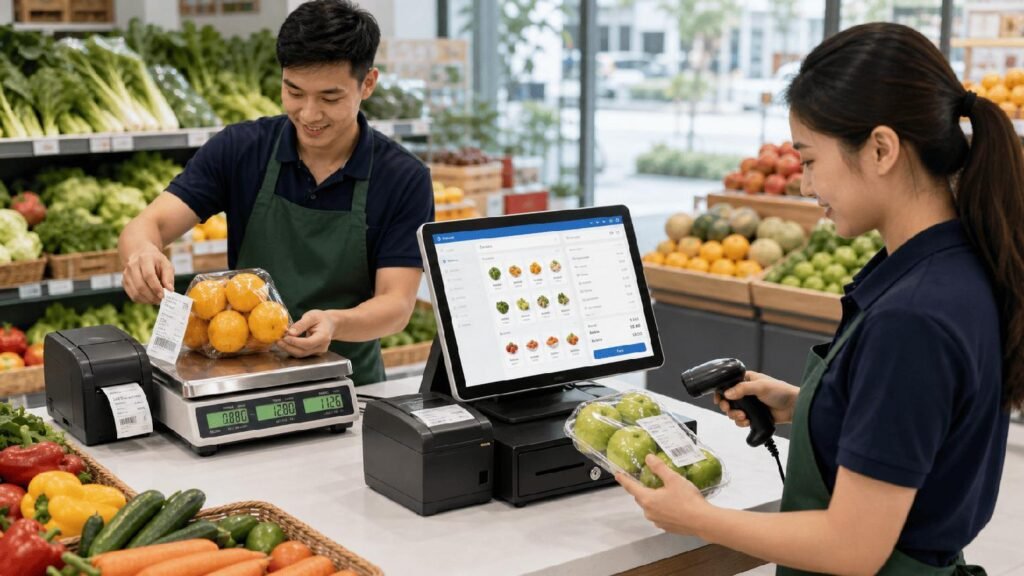
A POS system can integrate with compatible digital weighing scales to capture the weight of products during checkout or product preparation.
When the scale sends the measured weight to the POS system, the software can calculate the price using the product’s configured rate. This reduces the need for manual calculations and helps minimise pricing errors.
2. Automatic Price Calculation
Each weight-based product can be configured with a price per kilogram or another supported unit of measurement.
When the product’s weight is entered or received from a connected scale, the POS system calculates the final amount automatically.
For example:
- Product: Beef
- Price: $18 per kg
- Weight: 1.5 kg
- Total price: $27
This makes transactions quicker and helps ensure customers are charged according to the configured product price and measured weight.
3. Barcode and Weight Label Printing
Some weighing scales and POS setups support barcode label printing. These labels can include product information, weight, price, and a barcode that the POS system can recognise at checkout.
When a cashier scans the label, the system can identify the product and retrieve the encoded weight or price, depending on the barcode configuration.
This is especially useful for butcher shops, supermarkets, and stores that prepare and package fresh products before customers reach the checkout.
4. Accurate Inventory Management
Weight-based sales also affect stock levels. If a store starts with 50 kg of a product and sells 3 kg, its stock should decrease accordingly, provided the POS system tracks inventory in the same unit.
Tracking stock by weight helps businesses understand how much stock remains, identify fast-selling products, and plan replenishment.
It can also help reduce discrepancies between recorded stock and actual stock when purchases, wastage, and stock adjustments are recorded correctly.
5. Faster Checkout and Fewer Manual Errors
Manually weighing products, calculating prices, and entering amounts can slow down checkout operations, especially during busy trading periods.
With a suitable POS setup, staff can retrieve product details, capture weight, calculate the price, and complete the sale through a more streamlined process.
This can reduce calculation errors, improve checkout efficiency, and give staff more time to assist customers.
Which Businesses Benefit from Weight-Based POS Features?
Weight-based POS functionality is particularly useful for:
- Grocery stores and supermarkets: Manage fresh produce, bulk foods, and other products sold by weight.
- Fruit and vegetable shops: Calculate prices based on the weight of fresh produce.
- Butcher shops: Process meat sales and support compatible weighing and labelling workflows.
- Seafood retailers: Sell fish and seafood according to measured weight.
- Bulk food stores: Manage products such as nuts, grains, seeds, and dried fruits.
The best setup depends on the products being sold, the weighing equipment used, and the store’s checkout process.
What to Look for in a POS System for Weight-Based Products
Before choosing a POS system, consider the following features:
- Weighing scale compatibility: Confirm that the POS system supports your scale model and connection method.
- Flexible product pricing: Check whether you can configure prices per kilogram, gram, or other required units.
- Barcode support: Make sure the system can read the barcode formats generated by your weighing scale or label printer.
- Inventory tracking: Choose a system that can track stock in the appropriate units and update quantities after sales.
- Clear sales reports: Look for reports that help you review sales and stock movement for weight-based products.
- Reliable checkout operations: Ensure the setup works smoothly with your existing POS terminal, barcode scanner, and other peripherals.
It is also important to test the complete workflow before using it in daily operations. Scale compatibility, barcode configuration, unit conversion, and inventory settings can vary between systems.
Simplify Weight-Based Sales with the Right POS Setup
Managing products sold by weight does not have to involve repeated manual calculations or complicated stock records. With compatible weighing equipment and a properly configured POS system, businesses can simplify pricing, speed up checkout, and maintain more accurate inventory records.
For Australian grocery stores, fruit shops, butcher shops, and other retailers, choosing a POS solution that fits their weighing and labelling requirements can make daily operations more efficient.
Looking for a POS system for your retail business? Explore Dibtech’s POS solutions to find a setup that suits your products, equipment, and business needs.